
The source was already public.
Every planning application in Ireland is a public record. The drawings, the planner's report, the conditions, the correspondence: all of it sits behind a council web portal with an unofficial JSON API underneath.
The first agent, running in Codex, was given the application reference and nothing else. It called the council's document endpoints, downloaded all 34 attachments, wrote a manifest with a SHA-256 for each file, and rendered previews of the drawings so a person could check them.
Then it did the thing a junior architect would do: it read the final grant order, noticed that permission was granted against two sets of drawings (May and a July further-information revision), and ruled that the July set was authoritative wherever the two disagreed. That decision is written into the model's assumptions file.
Four sheets carried the model: the ground floor plan, the four elevations with a schematic section, the landscape plan and the site cross-sections for ground levels.
The house belongs to family. The reference number, townland and client names are left off this page, and the drawing crops below stop short of every title block and council stamp. The method is public; the people are not.
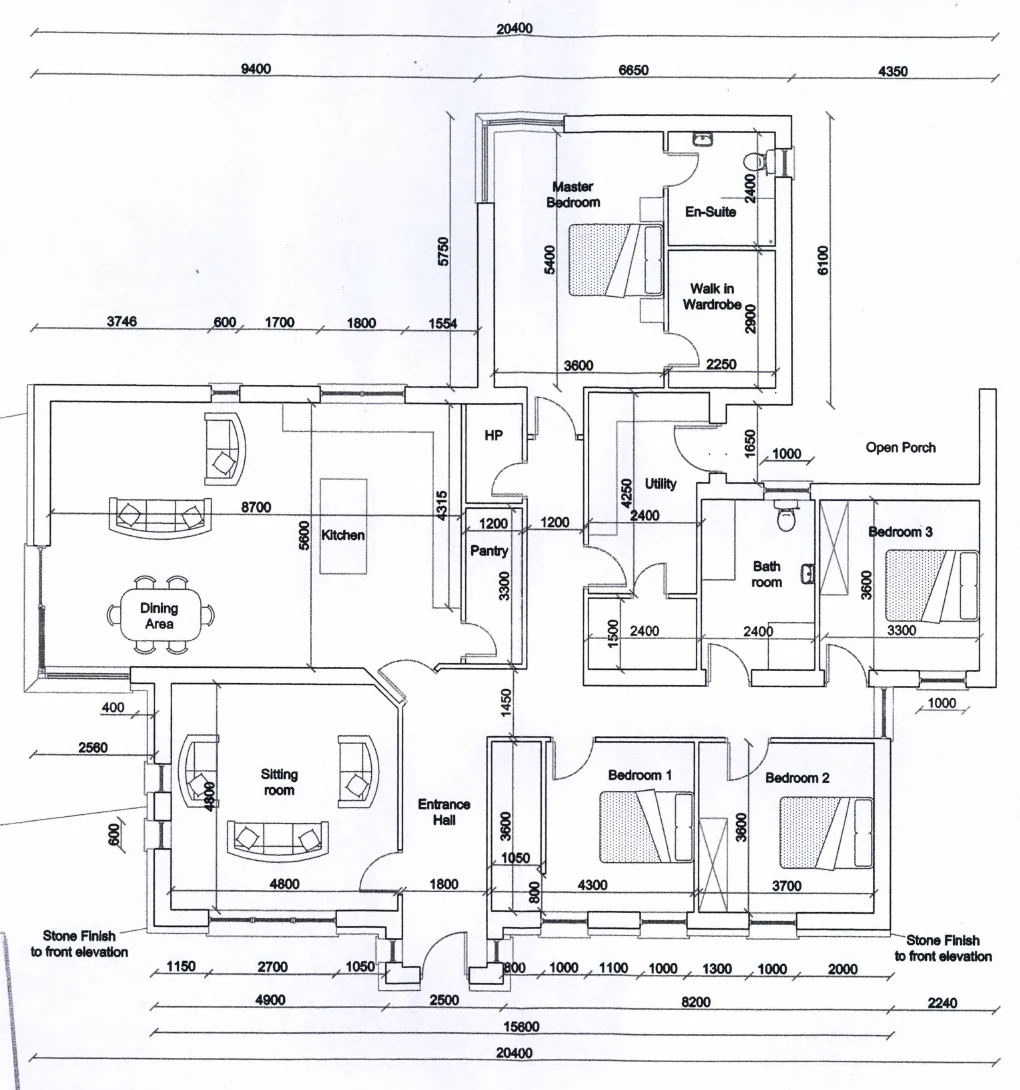
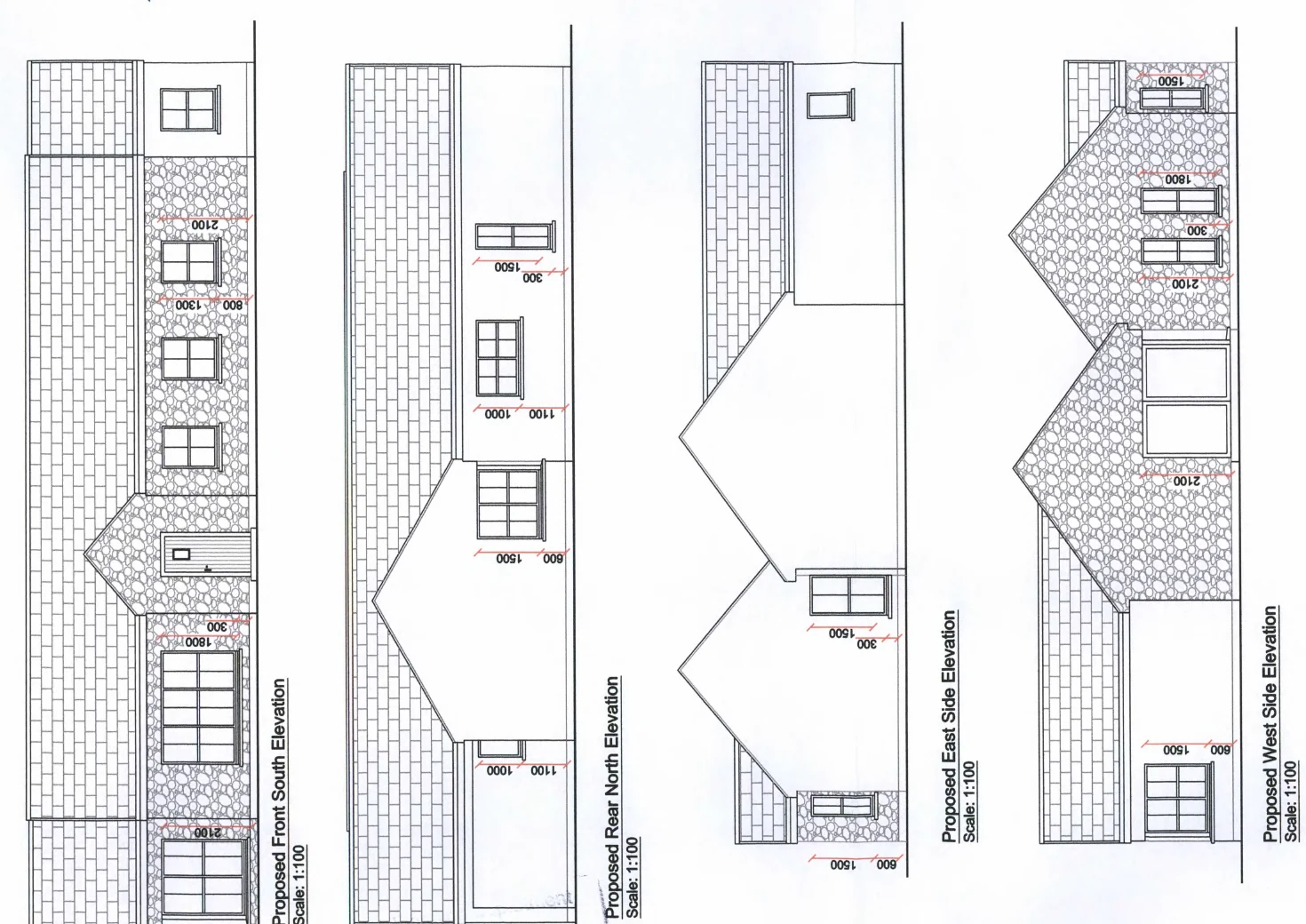
Scripted, not clicked.
The model is a Python program that runs inside Blender. Every wall, opening, roof plane and bed is a line of code with a name, so the whole house can be deleted and rebuilt in a minute, and anyone can read exactly where each number came from.
Dimensions fell into two classes and the script keeps them apart. Written dimensions from the drawings, like the 20.4 m overall width and the 2.7 m ceiling, are constraints. Anything scaled off the scan, like the porch depth or a window the sheet did not dimension, is recorded as an inference. The dimension chains on the plan do not all agree with each other, and rather than silently pick one, the script uses the component chain and says so.
Walls are built as real segments around real apertures, so there is nothing painted on a cube. The roof is six intersecting skins at the drawn pitches. Rooms, doors, windows, furniture and sanitaryware follow the plan symbols; what the plan leaves unlabelled stays unlabelled in the model.
- Eleven named collections: site, massing, openings, roof, interior, furniture, fixtures, landscape, context, underground services, cameras.
- Six fixed cameras matching the drawing views, so the model can be checked against the sheets one elevation at a time.
- A JSON manifest of every object's bounds, every door schedule and every room polygon, which later became the viewer's collision data.
Drag the handle to compare the scanned front elevation with the model's fixed front camera.
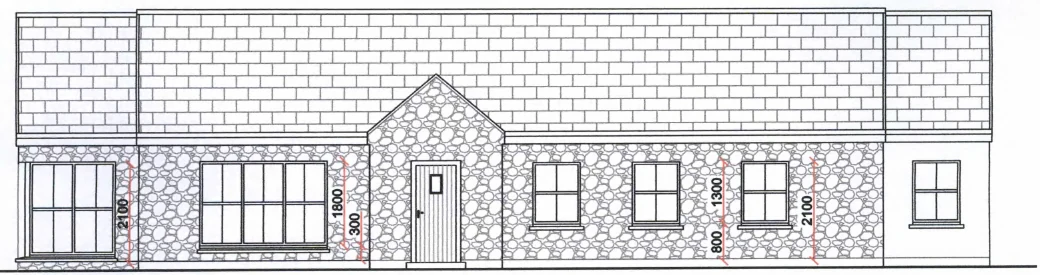
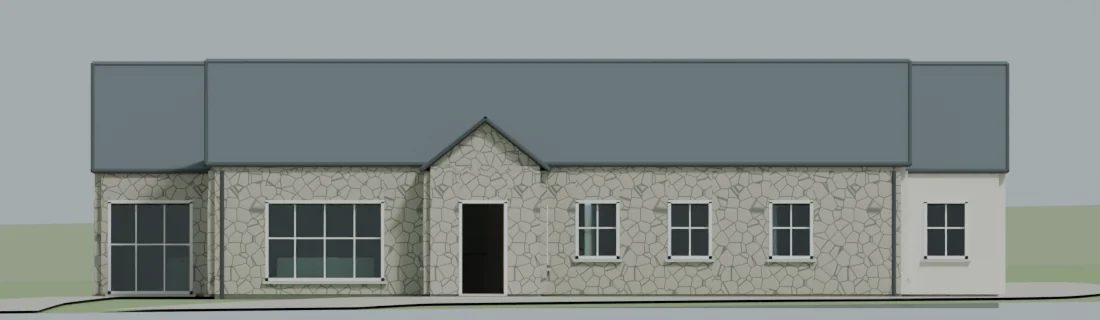 DrawingModel
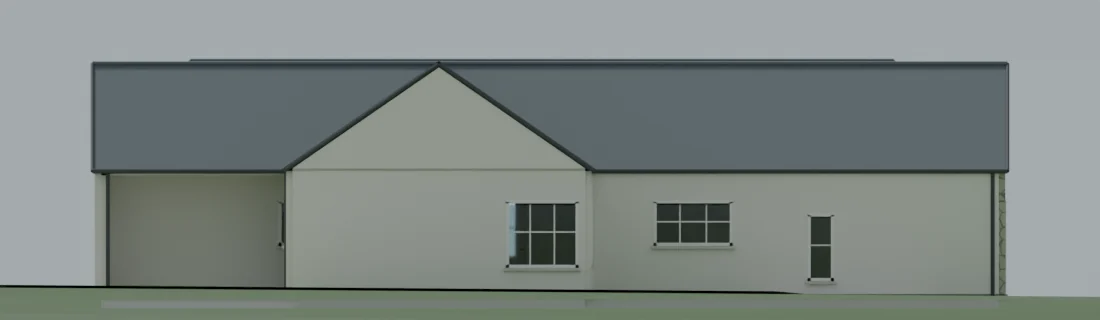
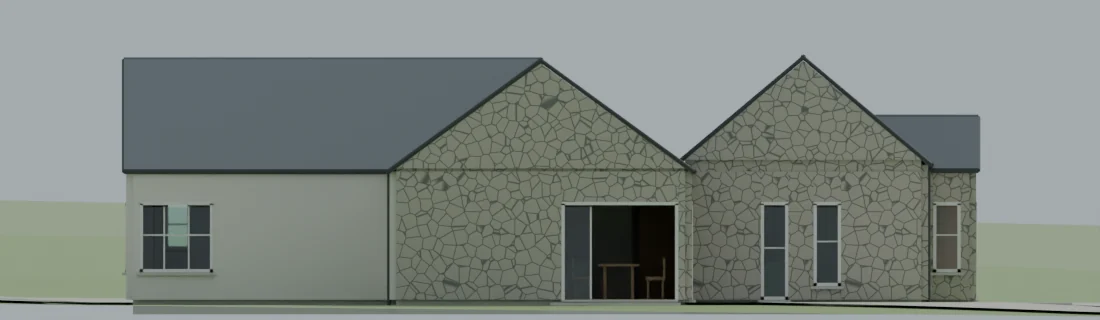
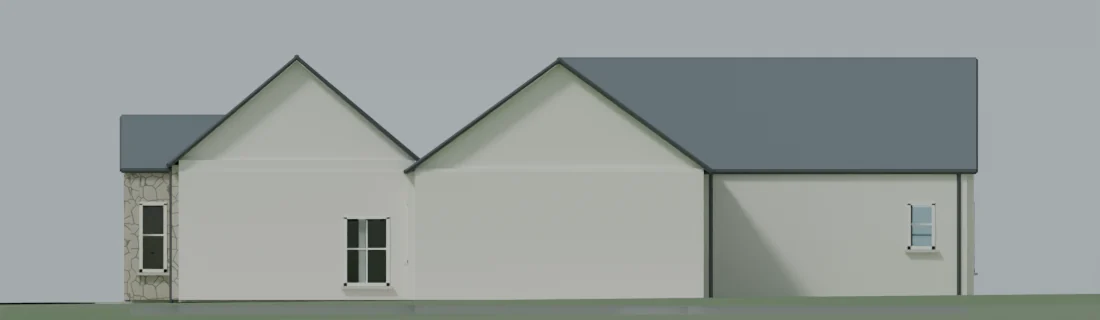
Rear, west and east fixed cameras. Context and planting are hidden in these views so the silhouette can be read against the sheet.
Trust came from the checking, not the modelling.
An agent that builds a house in a minute will also build a wrong house in a minute. Most of the two days went on loops that compared the model with the drawings and with itself.
The build ran in three stages: exterior massing, a correction pass, then interior and landscape. After each stage the agent rendered the fixed cameras, named the three worst discrepancies against the sheets, fixed those, and rendered again. The first pass had open roof junctions, a floating porch and overlapping ground surfaces; none of those survived the second.
Inside, it walked every room in the browser and looked in four directions, then ran automated route tests: can each of the 16 doors be approached from both sides, does every hinged leaf swing clear of the furniture, do all 17 windows block walking. Two doors failed at first because their open leaves collided with each other, something a furniture-only check never catches.
Finally it reopened the saved file in a fresh Blender process and measured the roof pitches back out of the geometry: 40.000° and 36.000°.
- Source integrityAll 37 downloaded files re-hashed against the manifest before any modelling began.
- ElevationsFront, rear, east, west, aerial and perspective rendered and compared with the sheets after each stage.
- Rooms16 rooms, four directions each, plus downward views on bathroom fixtures. Contact sheets kept for every room.
- DoorsEvery hinged door's 90° sweep and a 0.6 m approach on each side tested against furniture, worktop overhangs and other door leaves.
- GroundEvery footprint corner sampled: terrain stays below the finished floor and within the slab depth.
- ReopenSaved file opened by an independent Blender process: metric units, collections, cameras and pitches verified.
- Preservation512 architectural meshes hashed before the render pass and again after. No wall, opening, pitch or ridge moved.
- Still openHidden roof junctions, the angled kitchen doorway, the ensuite shower, the gross-versus-net floor area. Listed, not hidden.
Making it look like a house without changing the house.
The presentation renders were made on a copy. The copy got procedural limestone, slate, lime plaster, individually modelled grass and leaves, an HDRI sky and three cameras. It did not get a single new wall.
Materials are shader networks, not downloaded textures: a coursed split-limestone pattern with uneven mortar joints, a staggered slate exposure, clear dielectric glass with real refraction. The lawn is tens of thousands of blade meshes kept off the hard surfaces. Lighting mixes a CC0 Poly Haven sunrise HDRI with a physical sky and a warm sun.
Edges got reversible bevel modifiers of 2 to 6 mm for the highlights that make CGI read as solid. Walls use a shader bevel instead, because geometry bevels on coplanar wall pieces produced false seams in the first render.
The assumptions file for this pass is honest about what is invented: stone type, slate colour, joinery finish, tree species, the time of day. None of it is a specification, and the photographic look must not be read as an as-built record.
Rendered with Cycles on Metal at 1920 × 1280, 256 samples with adaptive sampling and denoising, AgX colour management.
Into the browser, without a library.
The walkthrough is the evaluated Blender geometry, exported straight from the scene, drawn by a WebGL renderer the agent wrote from scratch. No three.js, no glTF loader, no bundle. The renderer itself is fifteen kilobytes of JavaScript; the geometry streams separately (1.2 MB compressed).
Export packs each vertex into 20 bytes: three floats of position, three signed bytes of normal, three bytes of colour. The ground is a separate triangle list used only for walking. The CDN compresses the lot to 1.2 MB, and nothing loads until you ask for it.
Rendering is one directional light with a 2048-pixel shadow map drawn once, since nothing in the scene moves, plus a distance fog so the far fields fade rather than clip. Glass is left out of the draw so views stay clear, while its collision box stays in so you cannot walk through a window.
Walking is a 0.18 m cylinder with eyes at 1.65 m. Support comes from the ground triangles, bucketed on a 3 m grid, and from the exported floor and threshold polygons. The floor-plan minimap is generated from the same collider boxes that stop you walking through walls, which is why it matches the model exactly.
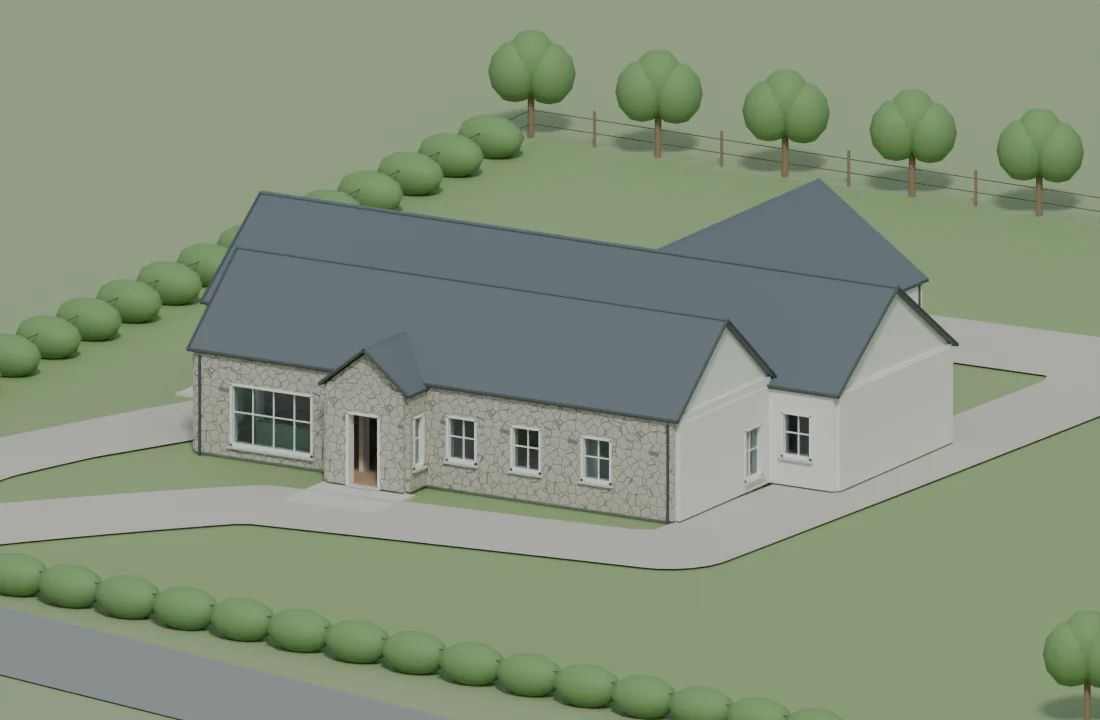
Walk through it.
Sixteen rooms and six garden viewpoints. Drag to look, WASD or the on-screen arrows to walk. Works with touch.
What I took from it.
Give the agent the drawings, not the answer. The useful judgement calls, like which revision governs and which dimension chain to trust, came from reading the grant order and the sheets. Those are the decisions worth recording, and the agent recorded them.
Make everything reproducible or make nothing. A script that rebuilds the house in a minute turns every correction into a one-line change, and every review into a diff. Click-built models have neither property.
Separate what is known from what is pretty. The planning model and the presentation copy are different files with a hash list between them. The viewer shows the plain one on purpose.
Write the limits down where people will read them. Unresolved junctions and uncertain dimensions are listed in the assumptions files and on this page. A visualisation that hides its uncertainty is a worse tool than a drawing.